


Sweet Camera Selfie
4.532.00 Reviews
App Specs
- Version
- 2.1.0
- Updated On
- License
- Free
- Downloads
- 1,000,000+
- Developer
- DictionaryAndTranslator
- Categories
- Beauty
- Platform
- Android, iOS
Screenshots
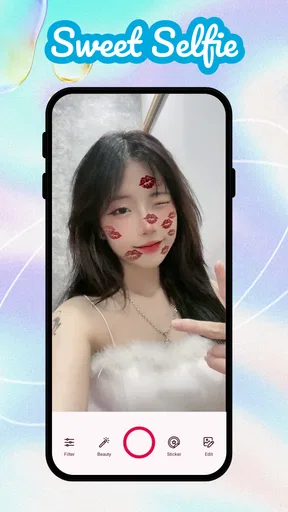
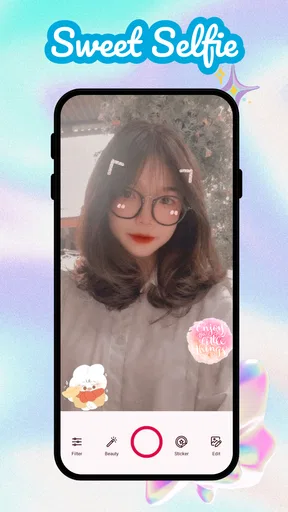
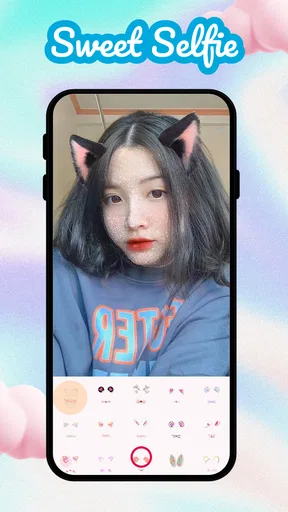
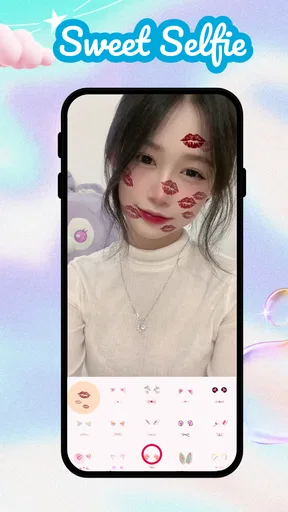
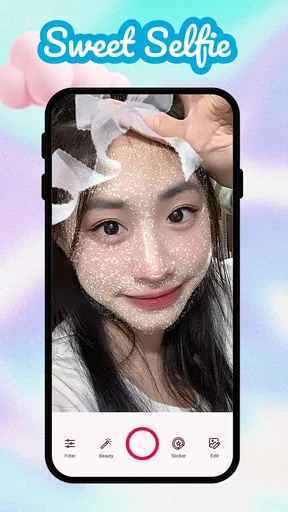
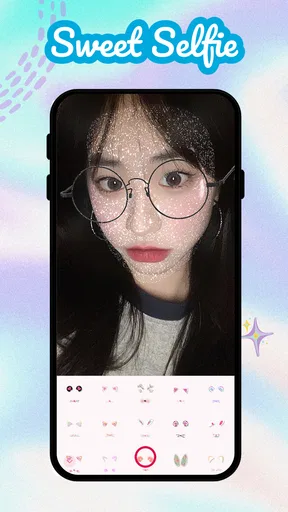
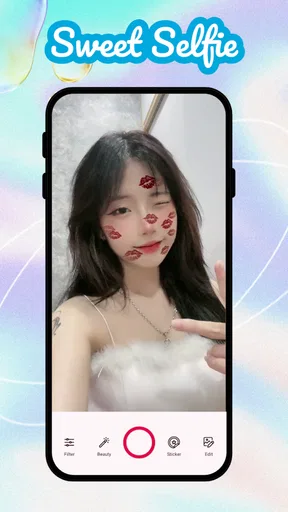
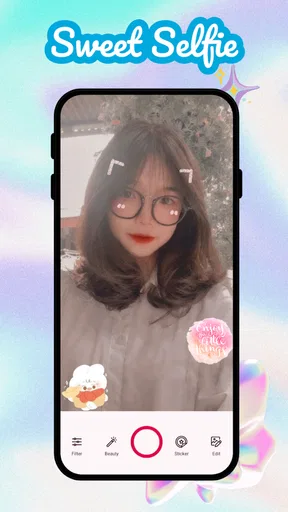
 Analysis by AppCompare
I think Sweet Camera Selfie is best understood as a quick, playful way to shape a selfie while you’re taking it, rather than a replacement for a full photo editor. Its beauty-focused tools make the most sense when you want to try a look, add a little personality, and get a shareable image without turning the process into a project. The experience also depends on what you’re doing online: browsing or sharing can involve network activity, so I’d plan around that instead of assuming every part works the same way in every connection situation.
Using it in everyday moments
I use Sweet Camera Selfie most comfortably when I can separate taking the photo from deciding what to do with it afterward. A quick preview helps me choose a look, while a pause before sharing gives me room to check the image and avoid repeated attempts if the connection is slow. That balance matters most when I’m on the move, where convenience and a little patience can make the difference between a relaxed selfie and a frustrating one.
When the connection matters
Camera effects are most useful when they let me see the result before I take the shot. That changes the rhythm of a selfie: I can compare a softer look with a more colorful one, settle on a direction, and take the photo once I’m happy rather than repeatedly editing later. If I’m browsing filters or stickers, though, I keep in mind that network conditions may affect how smoothly that part of the experience works. I wouldn’t choose a busy moment on a weak connection to explore a whole collection; I’d open the app when I have a little time and a reliable signal.
Sharing is another point where connectivity shapes the experience. The app is intended to make it easy to pass a finished selfie along to social platforms, but that final step still depends on the connection and the destination service. My practical approach is to finish the image first, check that I’m happy with it, and share when the network is behaving. That avoids confusing a slow upload with a problem in the photo itself.
A better fit for casual phone photography
In a familiar everyday situation—getting ready to meet a friend, for example—I can see the appeal of opening Sweet Camera Selfie for a quick preview, trying a makeup effect, and taking a few versions before heading out. The point is not to produce a heavily retouched portrait; it’s to make a small adjustment or add a playful touch while the moment is still happening. If I’m waiting in a café or riding as a passenger, I’d use the time to experiment, then keep the final selection simple.
This is more suited to spontaneous portraits than careful photo sessions. If I were preparing a professional headshot, documenting a product, or trying to make a group photo look consistent, I’d rather use a camera and editor that give me more deliberate control. Beauty effects can be fun, but they are subjective: the same smoothing, makeup, or filter that looks lively on one face can feel too strong in a different light. I recommend checking the preview at normal size before saving or sharing, not judging only from the close-up screen.
Small workflow choices that help
One useful habit is to decide what you want the photo to communicate before trying effects. A bright sticker and a dramatic filter can compete with each other, while a single effect often makes a cleaner result. I’d start with the lighting and expression, then test one filter, and only add a sticker if it contributes something. This keeps the selfie recognizable and makes it easier to compare options without losing track of the original feel.
Worth Reading Before You Choose

Switching to Android Auto Means Rethinking Your Driving Routine

Google Calendar Makes a Crowded Week Easier to Manage

Baby Panda World Brings Quick Play to Modern Phones, but Its Game Library Feels Busy

ESPN’s Live Game View Makes Following Close Games Easier

QuizzLand Review: A Good Fit for Short Trivia Breaks, Not Every Player

Basketball Stars: Multiplayer Is Fast, but Can It Recover When Matches Go Wrong?
For makeup tools, I’d treat the preview as a styling idea rather than a promise of how cosmetics look in person. Virtual color can be handy when I want to test a mood or give a photo a finished appearance, but it won’t replace choosing real makeup under the lighting where I’ll actually be seen. If I’m sharing a portrait with someone who expects a natural look, I’d use a light touch—or skip the makeup effect entirely.
It also helps to take a moment before posting: look at the edges of the frame, check whether a sticker covers anything important, and consider whether the effect still looks balanced on a larger screen. A selfie that looks charming in the preview can feel crowded once it appears in a social feed. I’d save the most restrained version as the safe choice and treat more expressive edits as alternatives for friends or informal posts.
What to expect when things stall
If a filter or sharing step takes longer than expected, I wouldn’t immediately retake the picture or assume the image is lost. I’d first give the screen a moment, check the connection, and try the action again once the network is stable. For a time-sensitive post, it’s sensible to have a basic version of the photo ready rather than relying on a last-second effect or upload. This is a practical distinction between taking a picture and sending it: the capture can be one task, while browsing or sharing may depend on conditions beyond the camera view.
On a slow or limited connection, I’d avoid repeatedly opening collections just to compare every option. Choose a look before the moment you need the photo, and leave experimentation for a more convenient time. That’s not a complaint about the camera itself; it’s simply a way to keep a lightweight selfie workflow from becoming frustrating when connectivity is the bottleneck.
How it compares with other beauty apps
Compared with a phone’s standard camera, Sweet Camera Selfie is appealing when I want beauty effects, virtual makeup, stickers, and filters gathered around the selfie-taking process. A basic camera is often the better choice when I want a plain, unembellished shot or need to avoid extra steps. Compared with a general-purpose photo editor, this app’s appeal is immediacy: I can preview a look and take the picture without first learning a more involved editing workflow. A dedicated editor is still the better fit for precise retouching, careful color work, or edits that need to be repeated consistently across several images.
That difference matters if you’re deciding what to install. If your usual goal is a fun portrait for a message or social post, an app centered on selfie effects can save time. If you mostly take landscapes, need detailed editing controls, or prefer to preserve every image exactly as captured, the extra beauty-focused choices may be unnecessary. I’d treat this as a companion to the standard camera, not a universal replacement for it.
Who will enjoy it—and who may not
I’d recommend it to people who like trying different looks before taking a selfie, enjoy playful stickers, or want quick makeup effects without switching between several tools. It’s also approachable for someone who has never edited a portrait and would rather explore by previewing changes than adjusting a long list of technical controls. The developer is DictionaryAndTranslator, and the app is listed in the beauty category.
I’d be more cautious if you want a highly natural camera, fine-grained professional retouching, or a workflow that never depends on network activity for browsing and sharing. It’s also not the right choice if you dislike the look of beauty filters or would rather edit only after taking a photo. The best result depends on restraint and personal taste, so people who want a consistent, realistic portrait may prefer their phone’s regular camera or a more manual editor.
Cost, compatibility, and a sensible first try
The app is free to install, with in-app purchases ranging from $0.99 to $99.99 per item. I’d start by exploring the basic experience before spending anything, and check the purchase prompt carefully if an extra effect or option catches your eye. That price range is broad enough that I wouldn’t assume every add-on is a small one; decide what you actually want before confirming a purchase.
It’s rated for Everyone and requires Android 5.0 or later. The current version is 2.1.0, and the app was released on Aug 3, 2023. It has a 4.6 average from around 10,000 ratings and over 1 million installs. Those figures suggest that it has found a sizeable audience, but they don’t tell me whether its particular filter style will suit you. The simplest test is to try a few looks in ordinary lighting and see whether you like the result on your own face, rather than relying on the popularity alone.
For a data-conscious routine, I’d use the app deliberately: take the photo, choose only the effects I want, and share when I’m connected in a way that suits me. I wouldn’t keep retrying a stalled upload or browse every effect while relying on a weak mobile signal. These are small choices, but they make the experience more predictable and help keep the focus on the picture rather than the connection.
One question people often have is whether a beauty app can make every selfie look good. In my view, no filter can fix poor light, an awkward angle, or a rushed expression as reliably as taking a moment to adjust the shot. I’d face a window or move to even light first, then use effects as finishing touches. Another practical question is whether to edit before or after capture: the real-time preview is useful when choosing a look, while the editing tools are better for refining a photo once I know which version I want to keep.
For anyone deciding whether to try it, I’d start with a low-pressure photo rather than an important portrait. Compare one lightly edited version with a more playful one, and notice which still feels like you. If the experience feels enjoyable and the effects fit your style, it can earn a place in your casual camera routine. If you find yourself undoing every filter or waiting on connectivity more than you’re enjoying the camera, your regular camera app may be a better everyday option.
First Impressions
When I first downloaded Sweet Camera Selfie, I was immediately struck by its sleek and user-friendly interface. It’s like the app is just inviting you to have fun with it. The colors are bright, but not overwhelming, and everything is laid out in a way that even a newbie can navigate without a hitch.
Features Galore
The app comes loaded with a ton of features that make snapping that perfect selfie easier and more fun than ever. One of my favorites has to be the real-time beauty effects. You can apply filters and tweaks before you even hit the capture button, so you know exactly how your photo will turn out. It’s like a mini Photoshop session, but without all the hassle.
Another cool feature is the makeup tool. You can add virtual makeup to your selfies, and it’s surprisingly realistic. From lipstick to blush, it's got all the essentials. Plus, it’s a lifesaver on those days when you’re in a rush and don’t have time to put on actual makeup.
Stickers and Filters
Who doesn’t love a good sticker or filter? With Sweet Camera Selfie, you get a huge library of both. The stickers range from cute and quirky to downright hilarious, perfect for adding a bit of personality to your photos. The filters are equally impressive, with a wide variety that can completely transform the mood of your selfie.
One thing I really appreciate is how frequently they update the collection. You’ll always find something new to try, keeping your selfies fresh and exciting.
Editing Tools
Once you’ve taken your perfect shot, Sweet Camera Selfie doesn’t leave you hanging. The editing tools are top-notch, offering everything from basic adjustments like brightness and contrast to more advanced options like blur and vignette. You can get really creative and make each selfie a masterpiece in its own right.
Sharing is Caring
Of course, what’s the point of taking a great selfie if you can’t share it with the world? The app makes it super easy to share your creations on all your favorite social media platforms. With just a few taps, your friends and followers can see your latest and greatest selfies.
Why You’ll Love It
Overall, Sweet Camera Selfie is a must-have for anyone who loves taking selfies. It’s fun, easy to use, and packed with features that will make you look and feel like a star. Whether you’re a seasoned selfie pro or just getting started, this app has something for everyone.
So go ahead, give it a try. Download it from your app store and see for yourself why so many people are raving about it. You might just find that it becomes your new favorite app too.
Pros
- User-friendly interface enhances experience.
- Wide variety of filters and effects available.
- Quick editing tools for fast adjustments.
- High-quality image output every time.
- Frequent updates add new features.
Cons
- Contains in-app ads that can be intrusive.
- Some features require a premium upgrade.
- Occasional crashes on certain devices.
- Limited customization for advanced users.
- Large file size may affect storage.
FAQs for Sweet Camera Selfie
What features does Sweet Camera Selfie offer for enhancing photos?
Sweet Camera Selfie offers a wide range of features including real-time beautification filters, a variety of stickers, and advanced editing tools. Users can smooth skin, brighten eyes, and adjust facial features with just a few taps. The app also includes options for adjusting lighting and adding artistic effects to make every selfie pop.
Is Sweet Camera Selfie free to use, and are there in-app purchases?
Sweet Camera Selfie is free to download and use, but it offers additional features through in-app purchases. These premium options include exclusive filters, sticker packs, and advanced editing tools. Users can choose to purchase these individually or opt for a subscription model to unlock all premium content.
How does Sweet Camera Selfie ensure user privacy and data security?
Sweet Camera Selfie takes user privacy seriously by implementing robust security measures. The app requires minimal permissions and ensures that any data collected is encrypted and used strictly to enhance user experience. It does not share personal information with third parties without user consent, adhering to privacy regulations.
Can Sweet Camera Selfie be used offline, or does it require an internet connection?
Sweet Camera Selfie can be used offline for capturing and editing photos with its built-in tools and filters. However, an internet connection is necessary to download additional content such as new filters or sticker packs. Some features, like sharing images directly to social media, also require connectivity.
Is Sweet Camera Selfie compatible with all Android and iOS devices?
Sweet Camera Selfie is designed to work on a wide range of Android and iOS devices. It supports most devices running on Android 5.0 and above, as well as iOS 11.0 or later. However, performance may vary depending on the device's specifications, so it's recommended to check for compatibility before downloading.


